Variable List†
Variable List†
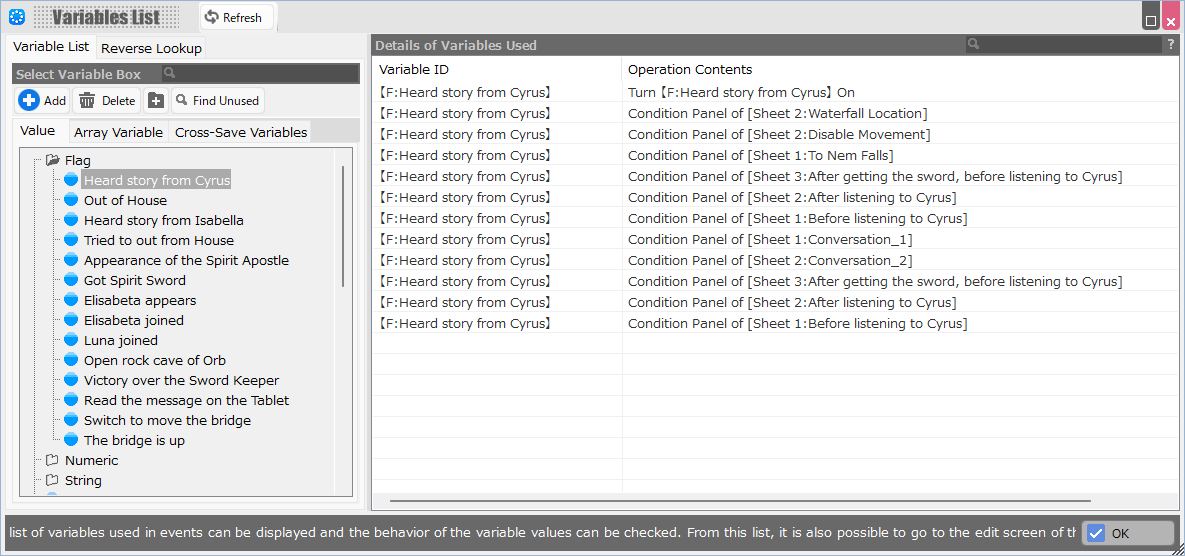
You can select a variable from the list and view where and how it is being used.
However, local variables cannot be displayed.
Variable Box Selection†
- Search Window
The variable list can be narrowed down.
- Add
Variables can be added.
- Delete
Variables can be deleted.
- Add Folder
Folders can be added.
- Find Unused
You can narrow down variables that are not used anywhere.
@@UNUSED will be entered in the search box to narrow down the search.
Details of Variable Used†
This is a list of the places in the project where the variable is used.
Clicking on a row opens the event sheet that uses that variable and allows you to edit the event.
(!)If you open an event from this tool and change the status of a variable, press the Update button to the right of the tool title to update the information.
- Place to be Used
The event sheet in which the variable is used.
- Variable ID
These are the names of each variable.
- Operation Contents
Information on how the variable is used.
If it is “~'s condition panel,” it is used as a condition for the execution of an event.
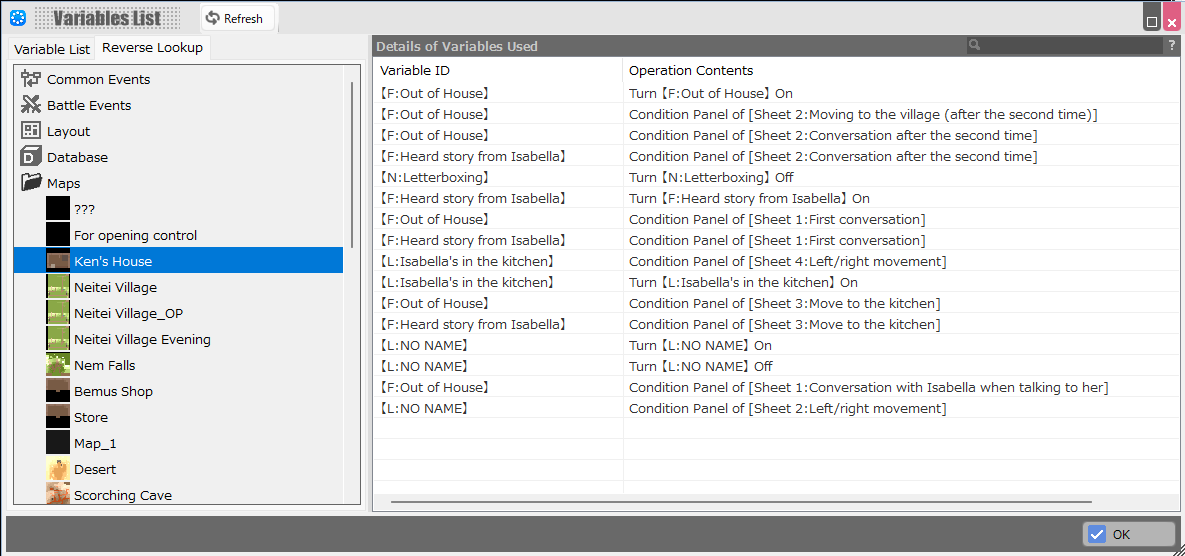
Reverse Lookup†
- Reverse Lookup
You can select each map, common event, layout, etc., and list the variables used there and the operations on the variables.
Local variables are also displayed in this mode.
Search Target List†
Select each map, common event, and other areas where you have identified variables used there.
- Folder Icon
A list of events that are present in the maps contained in the folder and for which variables are used is displayed.
Details of Variable Used†
The function is the same as in the Variable List.
Local variables are also displayed in this mode.
![[PukiWiki]](./skin/BAKIN_logo_92.png "[PukiWiki]")