Common Event Palette†
Specify events that will not be placed on maps, but will be used throughout the game.
Common Events are categorized into Common Events, which can be used both on maps and during battles, and Battle Events, which can only be used during battles.
#ref(): File not found: "Commonevents_Palette_EN.png" at page "Common Event Palette"
Feature Description†
- Add Button
Add a new common event.
- If "Common Event Folder" is selected in the list, the "Add Common Event" dialog opens.
- If the "Battle Event Folder" is selected in the list, the event editor opens to specify custom event settings.
For information on specifying custom event settings, see "Events (Event Sheets/Event Panels)" in the Help section.
- Folder Button
Create new folders under the Common Event Folder and the Battle Event Folder.
- Copy Button
Copy the selection.
- Paste Button
Paste the copied selection.
- Delete Button
Delete the selection.
- Search
Narrow down the entries to be displayed in the list.
Enter a keyword to narrow down the search in the text input area and click the Narrow Down button.
Common Event Folder†
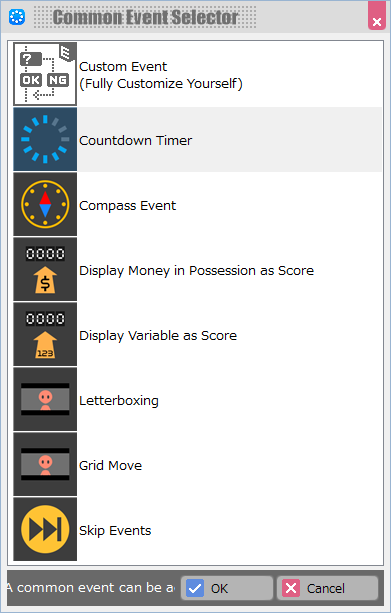
Add or double-click on the event name in the list to open the settings template for each common event and specify the settings.
Except for "Custom Events," only one of each of the common events can be specified from the template. If you wish to place more than one, perform a "Convert to Custom Event" for each template.
In addition, when converted to a custom event, the following five conditions are used to start the event.
- No Trigger (Execute from Another Event)
- Automatically Start (Only Once)
- Automatically Start (Repeat)
- Automatically Start (Only Once in Parallel)
- Automatically Start (Repeat in Parallel)
Custom Event†
Use the event editor to specify events with a combination of commands.
Multiple common events created in "Custom Events" can be specified.
Count Timer†
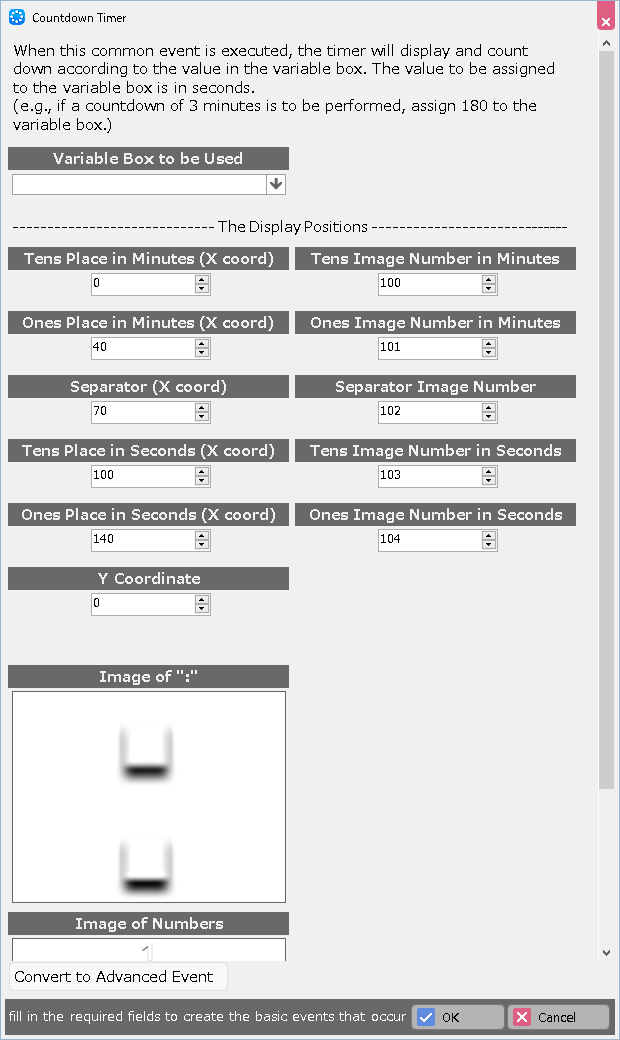
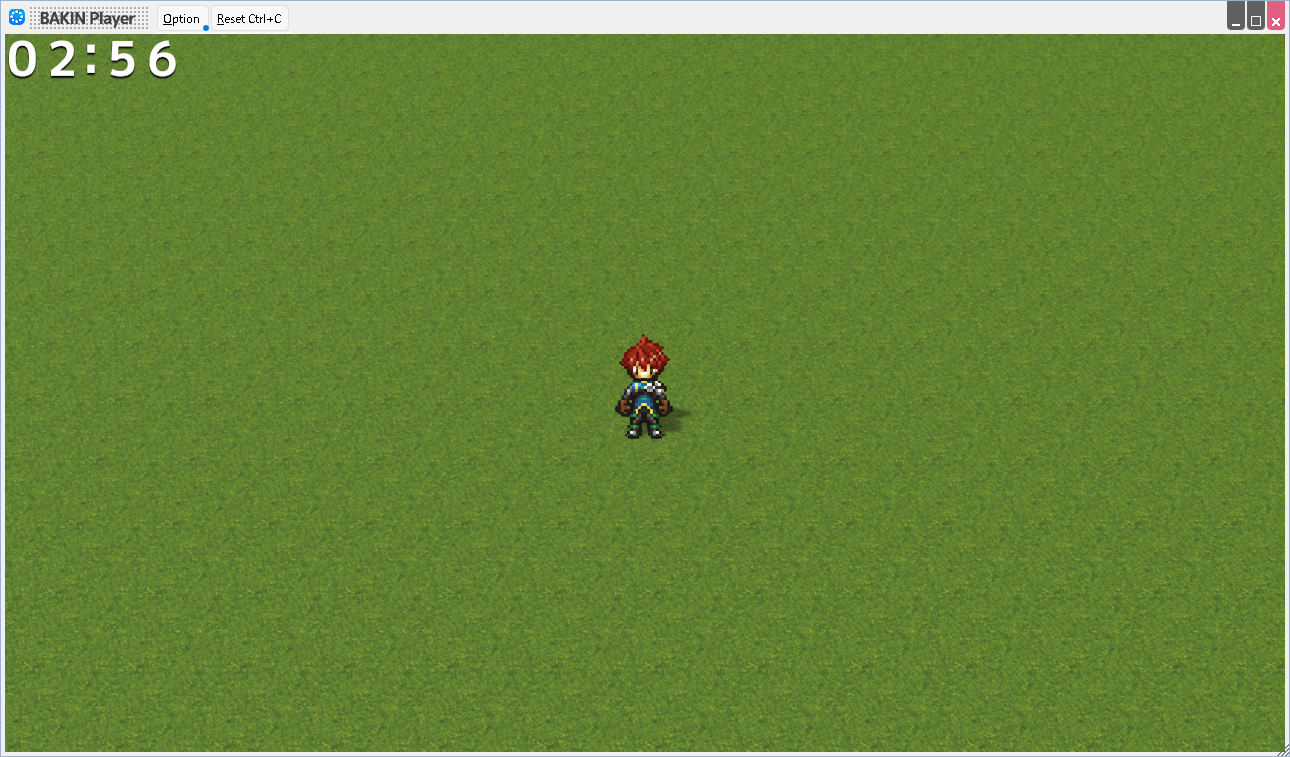
Execution of this common event will display the timer and countdown according to the value of the variable box.
- Variable Box to be Used
Specify the variable box to be used as the time for the timer.
The value assigned to the variable box is in seconds.
- Each Display Position
Specify the position of the numbers and the separator in the time display, respectively.
- Image Management Number
Specify the number of the time display and the image control number of the separator, respectively.
- Image of ":" (separator)
Specify the symbol that separates minutes and seconds.
- Image of Numbers
Select the font for the numbers displaying the time.
- Convert to Custom Event
Convert to a format that can be specified in more detail using the event editor.
However, once this conversion is done, it is not possible to revert back to the way it was set up in the template.
Compass Event†
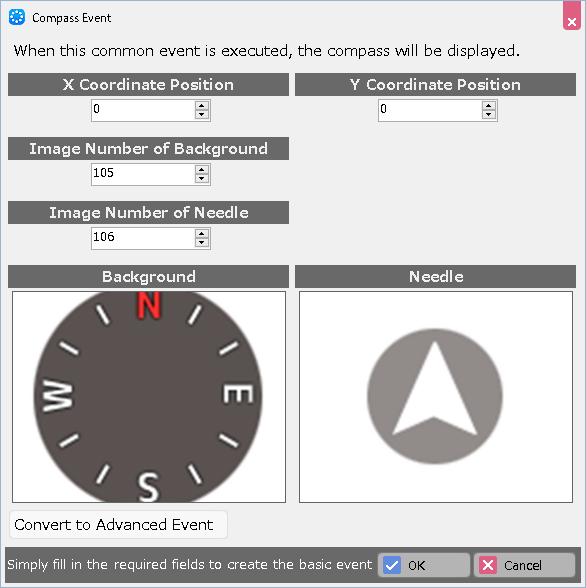
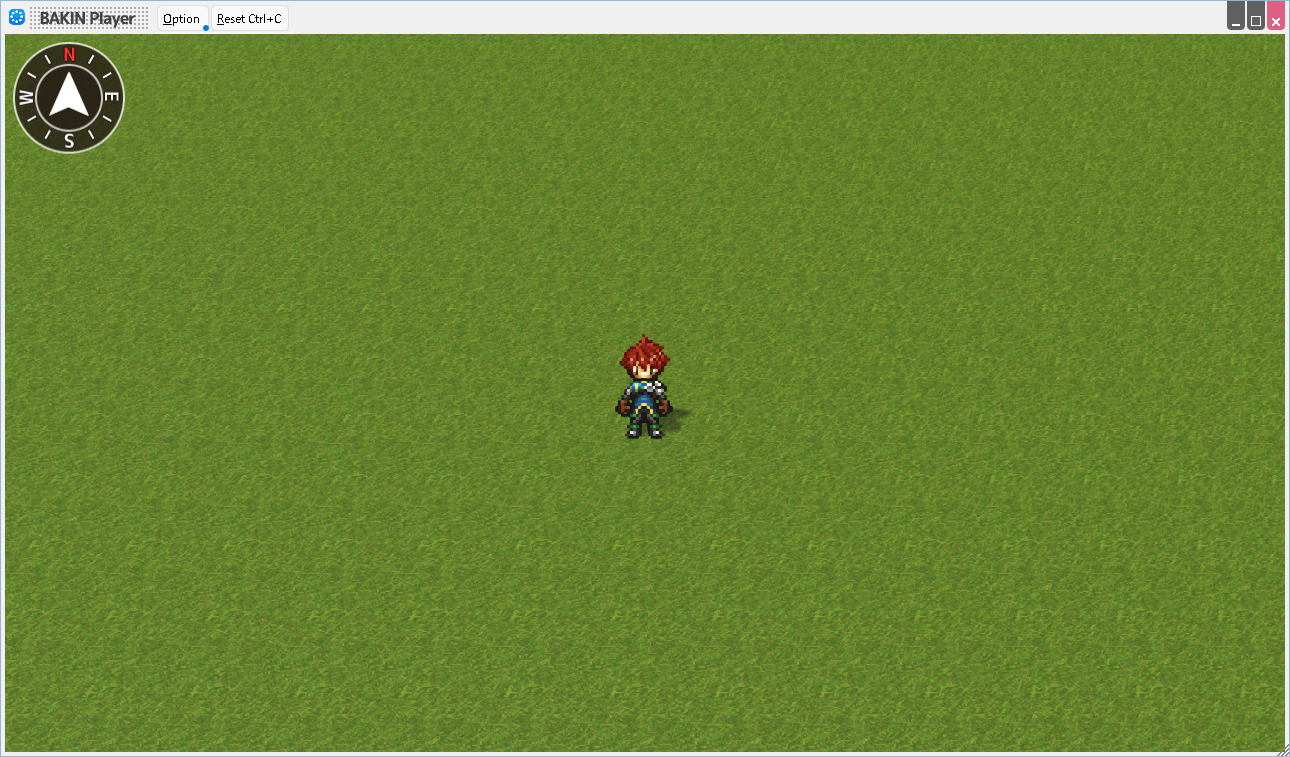
When this common event is placed, a compass (direction indicator) is displayed in the game.
- Coordinate Position
Specify the position at which the compass is to be displayed, in X and Y coordinates respectively.
- Image Management Number
Specify the image control number for each background (compass board) and compass needle.
- Convert to Custom Event
Convert to a format that can be specified in more detail using the event editor.
However, once this conversion is done, it is not possible to revert back to the way it was set up in the template.
Display Money in Possession as Score†
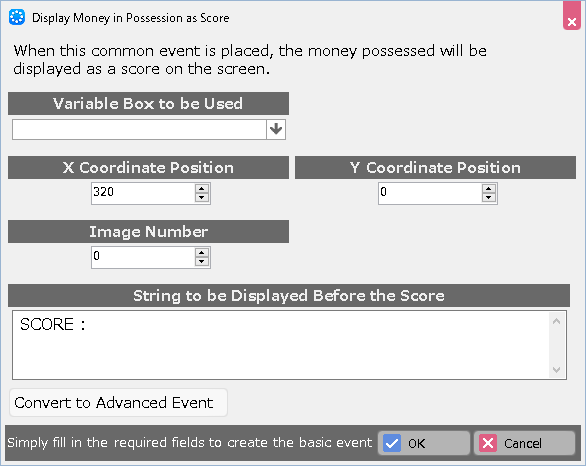
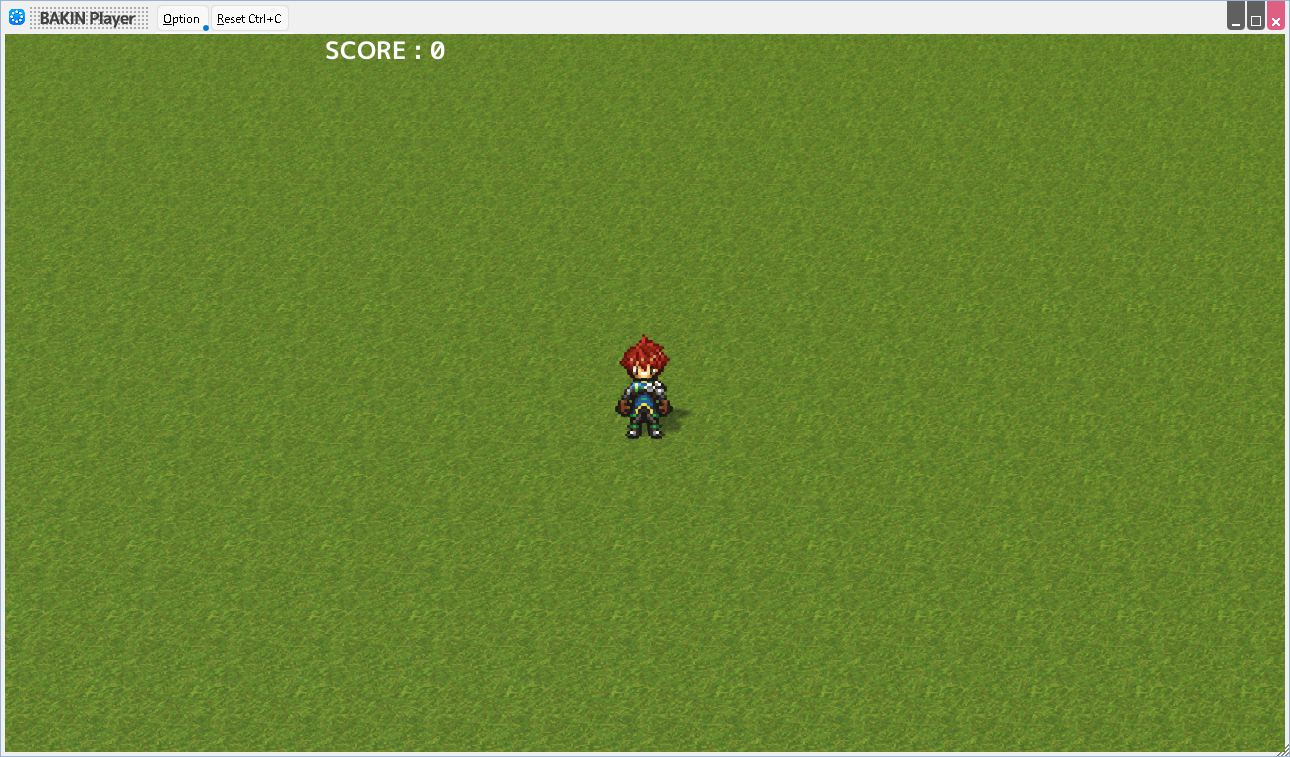
When you place this common event, the money in possession is displayed on the game screen as a score.
- Variable Box to be Used
If you want to display a value other than the possession as a score, specify here a variable to which you want to assign the score value.
- Coordinate Position
Specify the position at which the score is to be displayed, in X and Y coordinates respectively.
- Image Number
Specify the image control number to be used.
- String to be Displayed Before the Score
Specify the string that precedes the number, which is "SCORE:" by default.
- Convert to Custom Event
Convert to a format that can be specified in more detail using the event editor.
However, once this conversion is done, it is not possible to revert back to the way it was set up in the template.
Display Variable as Score†
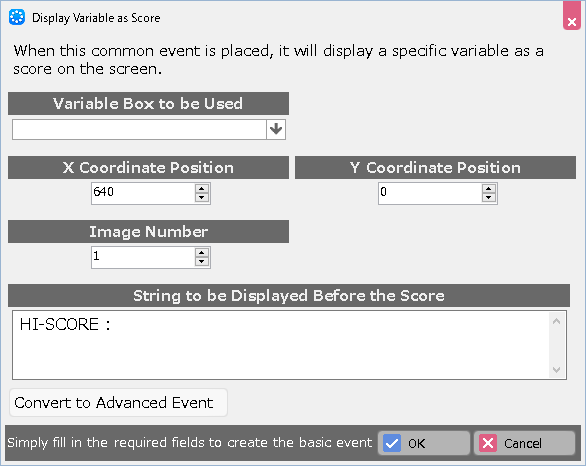
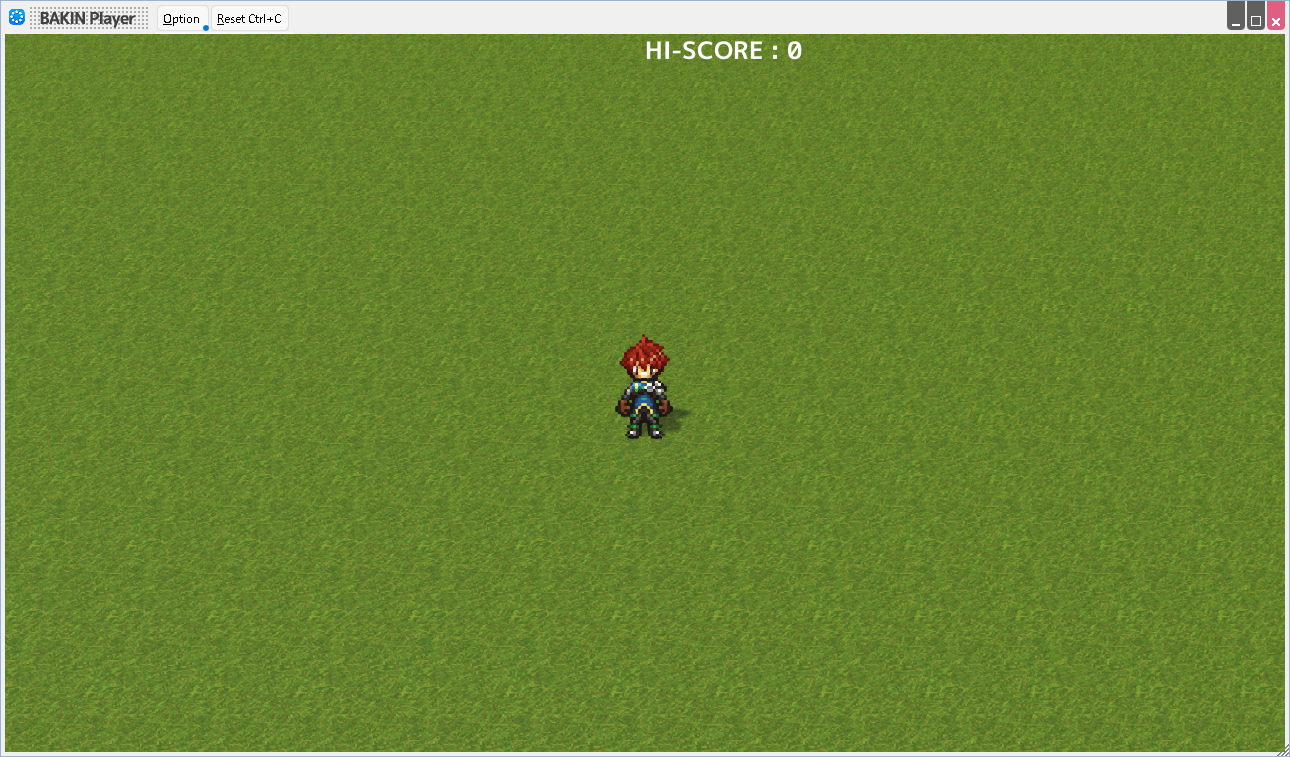
When this common event is placed, certain variable will be displayed on the game screen as a score.
- Variable Bos to be Used
Specify the variable you want to display as a score.
- Coordinate Position
Specify the position at which the score is to be displayed, in X and Y coordinates respectively.
- Image Number
Specify the image control number to be used.
- String to be Displayed Before the Score
Specify the string that precedes the number, which is "HI-SCORE:" by default.
- Convert to Custom Event
Convert to a format that can be specified in more detail using the event editor.
However, once this conversion is done, it is not possible to revert back to the way it was set up in the template.
Letterboxing†
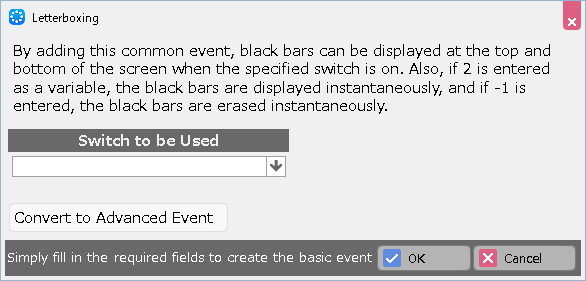
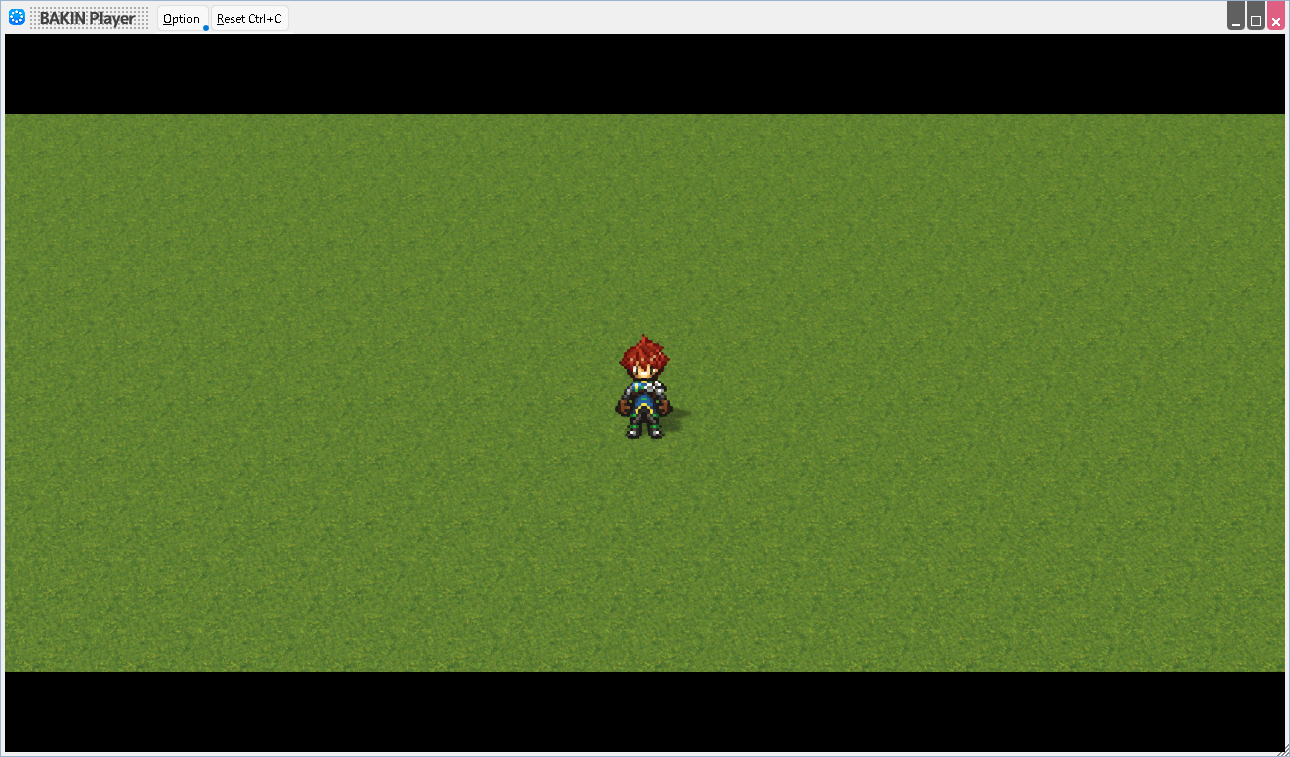
When this common event is specified, a black band will be displayed at the top and bottom of the game screen when the specified switch is turned on.
- Switch to be Used
Specify a switch to display the letterboxing.
Also, assigning 2 to the variable causes the black band to be displayed instantly, and assigning -1 causes it to be erased instantly.
- Convert to Custom Event
Convert to a format that can be specified in more detail using the event editor.
However, once this conversion is done, it is not possible to revert back to the way it was set up in the template.
Grid Move†
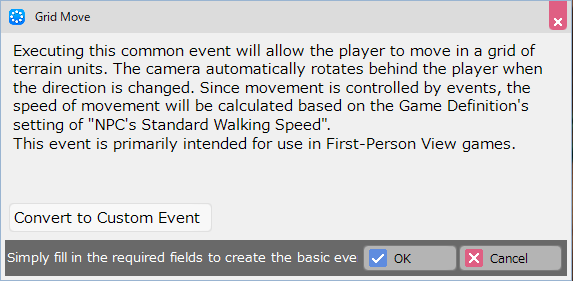
Executing this common event will allow the player to move in a grid of terrain units. The camera automatically rotates behind the player when the direction is changed. Since movement is controlled by events, the speed of movement will be calculated based on the Game Definition's setting of "NPC's Standard Walking Speed".
This event is primarily intended for use in First-Person View games.
See alsoCreation Tips/Grid Move.
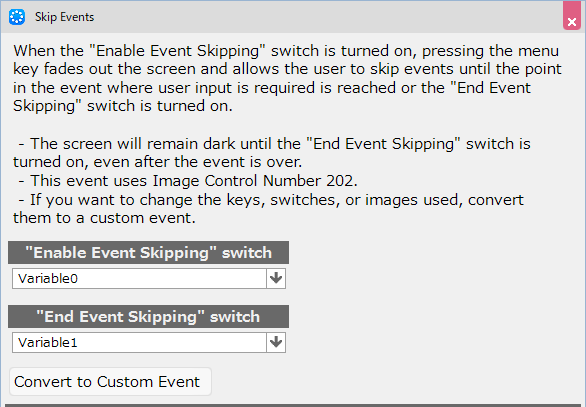
Skip Events†
When the "Enable Event Skipping" switch is turned on, pressing the menu key fades out the screen and allows the user to skip events until the point in the event where user input is required is reached or the "End Event Skipping" switch is turned on.
- The screen will remain dark until the "End Event Skipping" switch is turned on, even after the event is over.
- This event uses Image Control Number 202.
- If you want to change the keys, switches, or images used, convert them to a custom event.
(!)In this template, the screen will remain dark unless the “End Event Skipping” switch is turned on by an event, unless there is an event that requires user input such as “selecting selections” during the event.
Battle Event Folder†
You can create "battle events" that are triggered during battles.
Add or double-click on the event name in the list to open the event editor and specify the event.
- You can choose from the following conditions for starting a battle event
- In Battle, At the Beginning of Battle
- In Battle, Every Turn
- In Battle, Repeat in Parallel
- In Battle, At the Ending of Battle
- In Battle, At the Beginning of Action
- In Battle, At the End of Action
- In Battle, When Command Selection Starts
- In Battle, When Command is Decided
- In Battle, When Command Selection is Canceled
![[PukiWiki]](./skin/BAKIN_logo_92.png "[PukiWiki]")