Project Settings†
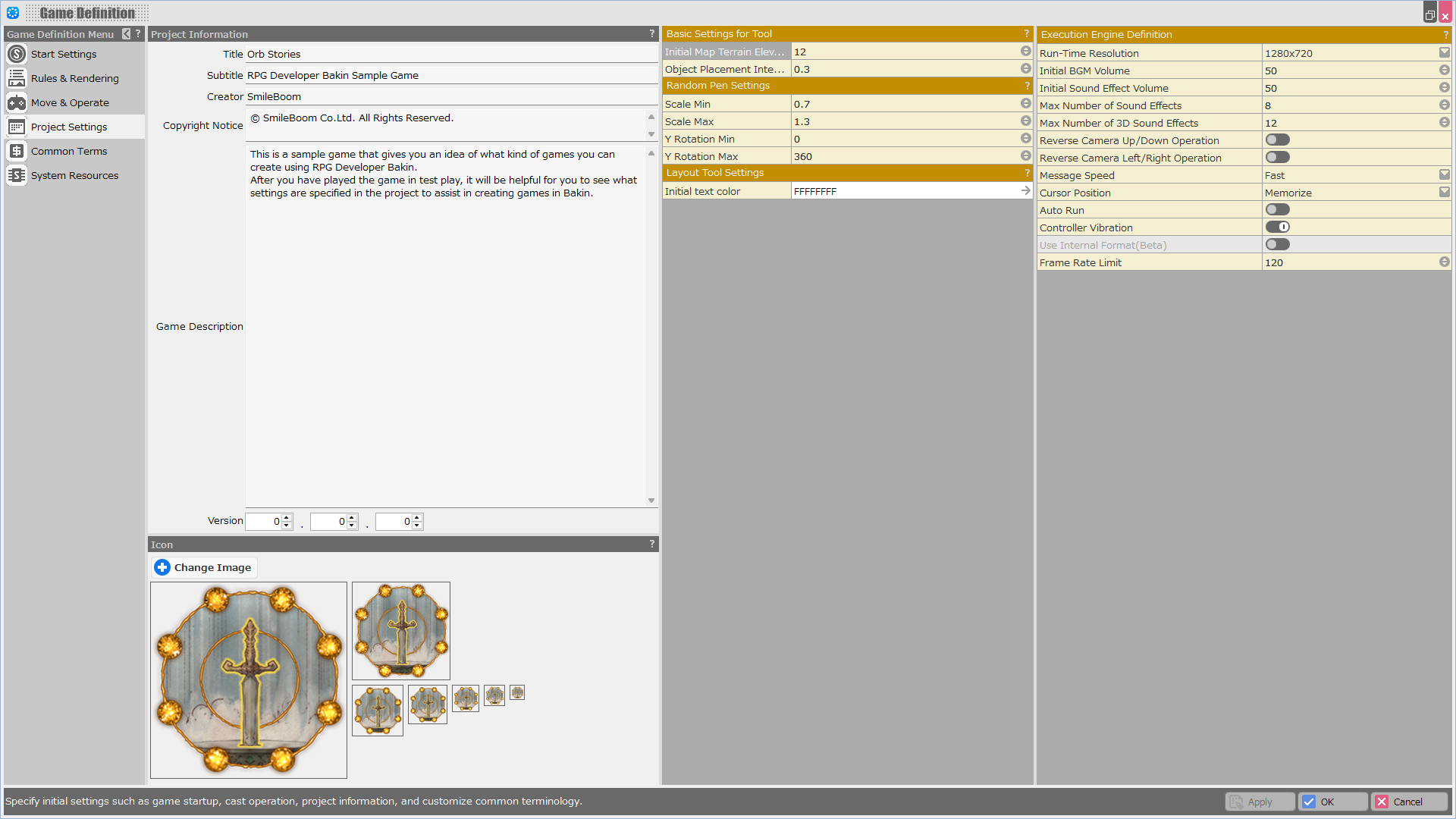
Specify the game title and icon, as well as the resolution, and volume default settings for the execution of the game.
Project Information†
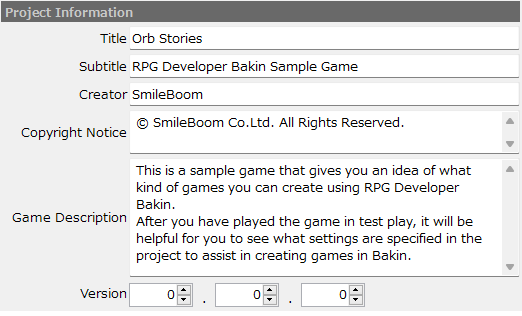
Specify the title and other basic information about the project.
- Title
Enter the title of the game.
- Subtitle
Enter a subtitle, if any.
- Creator
Enter the name of the game creator.
- Copyright Notice
Enter the copyright notice.
The information entered here will be displayed when the mouse pointer is hovered over the file in "Open Game File".
- Game Description
Enter a brief description of the game.
The information entered here will be displayed when the mouse pointer is hovered over the file in "Open Game File".
- Version
Enter a version number.
The information entered here will be displayed when the mouse pointer is hovered over the file in "Open Game File".
Icon†
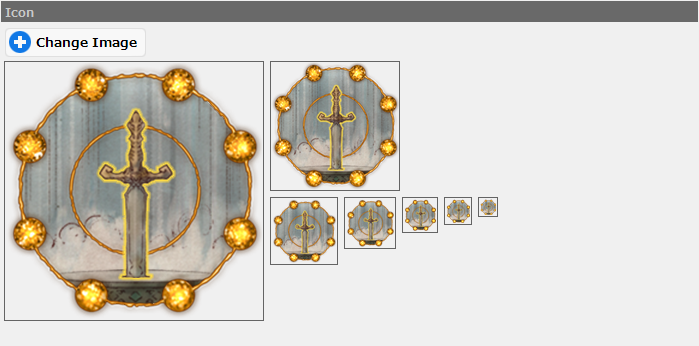
Specify the icon data to be used when creating a game for publication.
- Preview
The specified icon image is previewed in seven different resolutions.
- Change Image Button
Click to specify an image for the icon from your local PC.
Tool Settings†
You can specify the random pen settings, initial map elevation, and other settings.
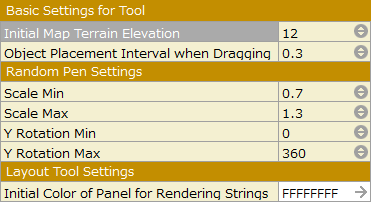
Basic Settings for Tool†
- Initial Map Terrain Elevation
Specify the default terrain elevation when creating a new map.
- Object Placement Interval when Dragging
Specify the spacing (distance) between successive objects to be placed by dragging.
This specification works for both the Pen tool and the Random Pen tool.
In addition, it does not work when "Snap to Grid" is turned on in the Map Editor.
Random Pen Settings†
Specify the minimum and maximum object scale and y-axis rotation when placing a 3D stamp using the random pen.
- Scale Min
Specify the minimum value of the scale to be determined at random.
- Scale Max
Specify the maximum value of the scale to be determined at random.
- Y Rotation Min
Specify the minimum angle of the Y-axis rotation range to be determined at random.
- Y Rotation Max
Specify the maximum angle of Y-axis rotation range to be determined at random.
Layout Tool Settings†
- Initial Color of Panel for Rendering String
Specify the initial text color when the "Panel for Rendering Strings" layout part is placed.
Game Engine Settings†
Specify basic information for test play and publishing work.
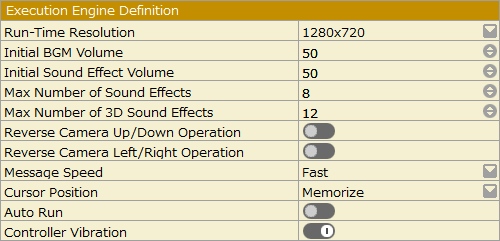
Execution Engine Definition†
You can specify the resolution and other settings for game execution.
- Run-Time Resolution
Select the game screen resolution from the list.
- Initial BGM Volume
Specify the initial value of the background music volume.
- Initial Sound Effect Volume
Specify the initial volume of the sound effect.
- Max Number of Sound Effects
Specify the maximum number of sound effects to be played simultaneously.
- Max Number of 3D Sound Effects
Specify the maximum number of the 3D sound effect to be played simultaneously.
- Reverse Camera Up/Down Operation
- Reverse Camera Left/Right Operation
Specify whether the default setting for up/down and left/right camera operation should be normal camera or reverse camera.
- Normal Camera: When the stick is tipped to the right, the camera also turns to the right.
- Reverse Camera: When the stick is tipped to the right, the camera turns to the left.
- Message Speed
Specify the initial message speed.
- Cursor Position
Specify whether the default setting for memorizing the cursor position operated in the menu is to memorize or not to memorize.
- Auto Run
Specify the initial behavior when the run button is pressed. When turned on, normal movement and run movement are interchanged, and the player slows down when the run button is pressed.
- Controller Vibration
When this option is turned on, the controller will vibrate in response to the screen vibrations caused by using the "Shake Screen" event panel or by specifying the Resources>Particles Settings.
- This function is valid only when using a controller with vibration function.
- Internal Format Settings (beta)
- Maximum Frame Rate
The game will run at a frame rate near the specified value when the game is executed. (The upper frame rate limit will vary depending on the PC environment in which the game is run.)
This feature can be used to avoid full GPU power consumption even when vertical synchronization is turned off on the PC where the game is played.
Internal Format Settings (beta)†
When turned on, the model and textures are converted to a Bakin-optimized format (internal format) and saved in the project as a separate file from the original.
The converted files will be placed in the Library folder directly under the project folder.
(!)This feature is in beta. It is recommended to save the project as an alias before turning it on.
- This feature has the following advantages and disadvantages.'
[Advantages]
- Speeds up the loading process during games.
- The memory used by the game is reduced.
- When exporting as a published work, game size is reduced by exporting only files that have been converted to the internal format.
[Disadvantages]
- Depending on your environment and the amount of resources to be converted, the conversion may take a considerable amount of time.
- The size of the project folder will increase as it will now contain files converted to internal format.
- When this feature is turned on, the followings are performed.
-Adding resources to a project with this feature turned on will automatically convert them to the internal format.
-When this feature is turned on, a backup of the project is automatically created.
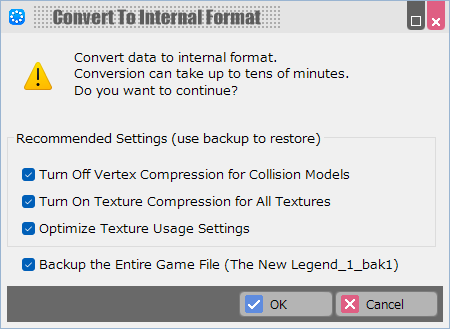
- The properties of the resource to be converted can be changed in bulk when this feature is turned on.
If you want to restore the properties that have been changed in this dialog to their original settings, please use a backup file of your project or re-set them manually.
- [Turn Off “Vertex Compression” on the Model for Collision]
[Advantages]
When “Vertex Compression” is turned on and an internal format model is used for the mesh collider, the accuracy of the vertex coordinates will be reduced and there may be subtle differences in the collision detection.
By turning this one off, you can avoid its effects.
[Disadvantages]
If the same model is also used for display, the reduction in memory consumption due to vertex compression is not achieved.
- [Turn On “Texture Compression” for All Textures]
[Advantages]
Compressing textures can reduce memory consumption.
However, the following types of textures, which have a significant impact on image quality degradation, are excluded.
- Textures for which the interpolation method is Nearest (e.g., for slice animation)
- Textures for LUT
[Disadvantages]
The image quality will be slightly degraded.
- [Optimize Texture Usage Settings]
Normal maps have dedicated texture compression, so if there are any textures assigned to normal maps whose usage is not properly set to “Normal,” change the setting.
- Once this feature is turned on, turning it off will remove the Library folder from the project folder and use the resources before internal format conversion.
Note, however, that “Resources” menu properties changed in the internal format conversion dialog will not be automatically restored.
![[PukiWiki]](./skin/BAKIN_logo_92.png "[PukiWiki]")