Various Branches, Screen Display and Result Confirmation (Battle, Store, Inn)†
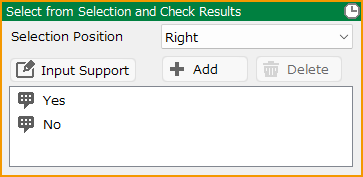
Select from Selection and Check Results†
Make selections.
- Selection Position
Select the position where the selection will be displayed.
- Add/Delete
Add or delete selections. Up to six selections can be added.
- Input Support
Control inputs can be used to display variable contents and cast names in the text of the selection.
For a list of Input Supports, see the Text Decoration/Command Input Support page for more information.
The type of Input Supports that can be used depends on the contents of the event panel.
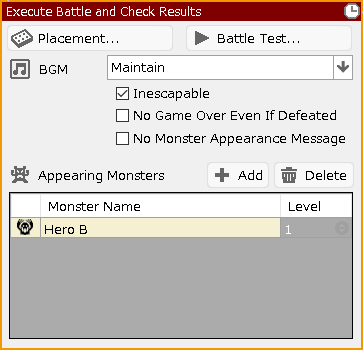
Execute Battle and Check Results†
Execute a battle and handle the branching of winning and losing. The process can be performed for winning and losing separately.
- Placement
Select the map to be used during the battle and specify the placement of allies and enemies.
- Battle Test
Execute the battle test with the specified details.
- BGM
Specify the BGM to be used during battle." If you specify "No Change," the normal battle BGM will be played.
- Inescapable
If checked, the player will not be able to run away from the battle.
- No Game Over Even If Defeated
Even if they are annihilated in battle, the game does not transition to game over.
- No Monster Appearance Message
No system message is displayed when monsters appear.
- Appearing Monsters
Add/delete monsters that appear in battles. The level of each monster can also be specified.
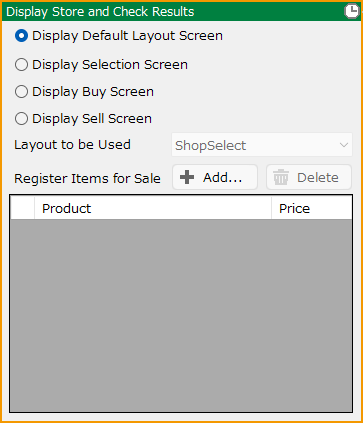
Display Store and Check Results†
Display a screen of store where items can be traded. The process can be performed independently for when the store is used or not used.
It is also possible to display a screen to select items to be bought/sold without going through the screen to select whether to buy/sell them in the store.
- Layout to be Used
Select which layout to use when displaying Selection Screen, Buy Screen, and Sell Screen.
- Register Items for Sale
Specify items to be sold in the store and their prices.
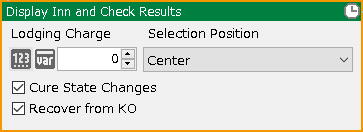
Display Inn and Check Results†
Display an innkeeper. The process can be performed differently for when it is used or not used.
- Lodging Charge
Specify a lodging charge between 0 and 99999999.
- Selection Position
Select the position where the selection will be displayed.
- Cure State Changes
If checked, their state changes will be restored.
- Recover from KO
If checked, they will recover from KO state.
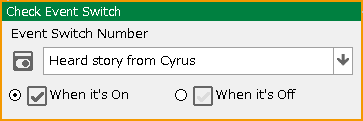
Check Event Switch†
Check the on/off of the specified event switch.
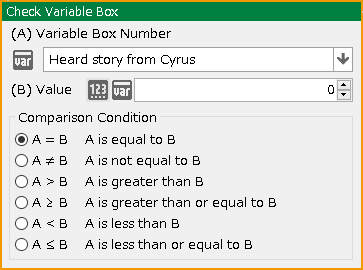
Check Variable Box†
Check the specified value variable.
- Variable Box Number
Specify the variable box to be referenced.
- Value
Enter a value to be compared or specify a variable box to specify the comparison condition.
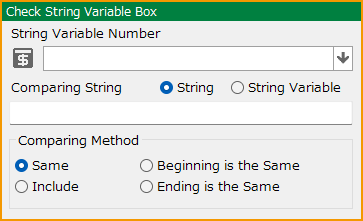
Check String Variable Box†
Check the specified string variable.
- String Variable Number
Specify the string variable box to be used.
- Comparing String
Specify the string input or string variable to be compared and the comparison condition.
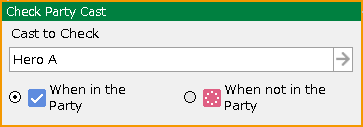
Check Party Cast†
Check if the specified cast is included in the party.
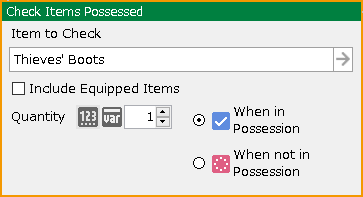
Check Items Possessed†
Check if the specified item is in possession.
- Item to Check
Specify items to be checked. If you want to include items that the casts are equipped with, check the "Include Equipped Items" checkbox.
- Quantity
Specify the number of items.
- When in Possession/When not in Possession
Specify one of the conditions.
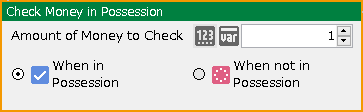
Check Money in Possession†
Check the amount of money in possession.
- Amount of Money to Check
Specify the amount of money in possession to be checked.
- When in Possession/When not in Possession
Specify one of the conditions.
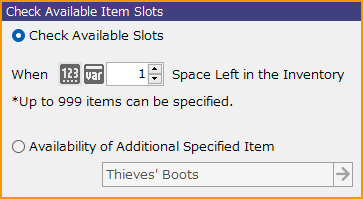
Check Available Item Slots†
Check the availability for the item inventory. Up to 999 items can be specified.
Check Whether in Battle (Available only for battle events)†
Check if a battle is in progress.
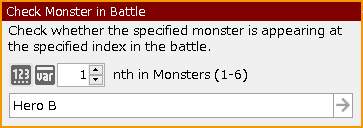
Check Monster in Battle†
During a battle, it checks to see if the specified monster is in the specified location.
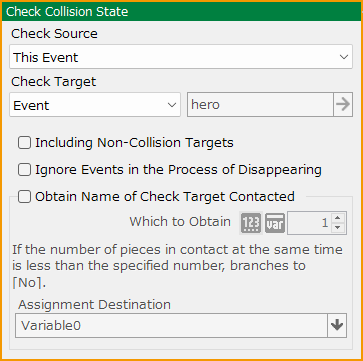
Check Collision State†
Check if the player or event is in contact with any terrain, object, player, or event.
- Check Source
Select either the player or this event.
- Check Destination
Select terrain, object, player, or event.
- Obtain Name of Check Destination Contacted
Available only when an event is selected as the check destination.
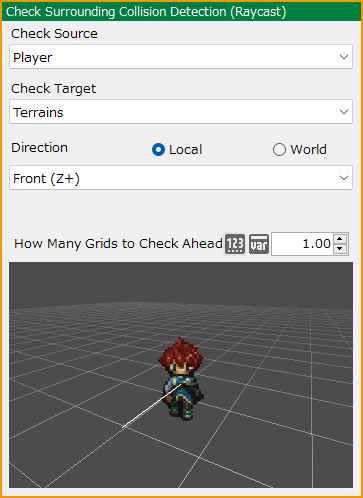
Check Surrounding Collision Detection (Raycast)†
Extend a raycast (linear collision detection) from the check source to the specified target and check if it touches the object to be checked.
- Check Source
Select either the player or this event.
- Check Target
Select terrain, object, player, or event.
- Direction
Specify whether local (check source) or world is used as the basis.
After determining the basis, specify the direction in which to extend the raycast from the following.
- Front, Left, Right, Up, Down, Behind, Specified Angle
- How Many Grids to Check Ahead
Specify the length of the raycast. The unit is grid.
Raycast is determined by touching the check target collision. If you feel it is not detected, try adjusting the length.
![[PukiWiki]](./skin/BAKIN_logo_92.png "[PukiWiki]")