Conversation†
Display Conversation†
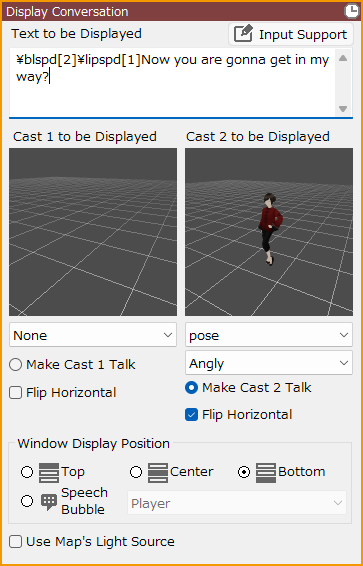
You can set up conversation scenes between cast members.
Rendering stamps specified in "Cast to be Displayed" can be displayed on the left and right sides of the screen at the same time as the text on the screen.
- Text to be Displayed
Enter the text to be displayed as a conversation.
Fill in the cast lines to be spoken.
- Input Support
By adding Command Input Support to text, you can add specified decorations and movements.
Please use the Input Support button to enter Command Input Support.
A list of Command Input Supports can be found at the Text Decoration/Command Input Support page.
The type of Command Input Support available depends on the contents of the event panels.
- Cast to be Displayed
Assign 2D/3D stamps to be displayed on the left and right sides of the screen.
- You can assign a motion to be displayed.
- When specifying a 3D stamp with Blend Shapes, you can assign a clip to play in addition to the motion.
- The camera and rendering settings for the conversational cast can be created in the Camera Tool.
- Make Cast 1/2 Talk
Assign the cast that is talking.
The image of a cast not assigned will be darkened.
- If you want your cast to do blinking/lip-synching, you need to specify the necessary settings in the Sprite Tool for 2D or in the Blend Shapes for 3D.
- Flip Horizontal
If checked, the cast image is displayed flipped left to right.
- Billboard
This can only be specified when a 2D stamp is selected as the Cast to be Displayed.
If checked, 2D stamps are rendered in 3D.
- Window Display Position
You can assign message windows and speech bubbles specified in the Layout Tool.
In order to assign a display position for the message window, a layout must be prepared for each position.
The default layout of the conversation screen in Layout Tool can be used for each position, so please use it as a reference for your own design.
- Speech Bubble
Specify a target for the speech bubble on the map.
- Use Map's Light Source
When checked, the lighting information specified in "Rendering" under "Map Settings" in the Map List will be reflected in the Cast to be Displayed.
Display Message†
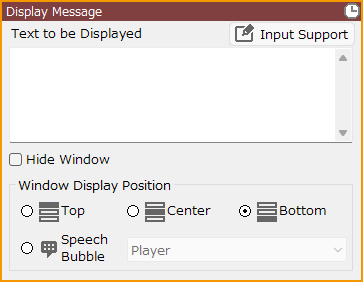
Display text in the message window.
- By adding Input Support to the text, you can add specified decorations and movements.
Use the Input Support button to enter command inputs.
For a list of Input Supports, see the Text Decoration/Command Input Support page for more information.
The type of Input Supports that can be used depends on the contents of the event panel.
- If "Hide Window" is checked, only the text can be displayed.
- You can specify a message window or speech bubble specified in the Layout Tool.
To specify the display position of the message window, a layout must be prepared for each position.
The default layout of the conversation screen in the Layout Tool can be used for each position, so please use it as a reference for your creation.
Display Ticker Text†
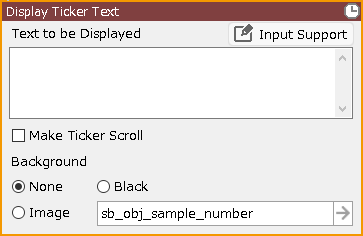
Display text on the entire screen. Suitable for use in prologues, epilogues, etc.
- If "Make Ticker Scroll" is checked, the text will automatically scroll from bottom to top as soon as the event starts.
In order to scroll the ticker, it is necessary to create a layout part for scrolling in the Layout Tool.
The default layout of the ticker screen in the Layout Tool is scrollable, so please use it as a reference for your creation.
- By adding Input Support to the text, you can add specified decorations and movements.
Use the Input Support button to enter command inputs.
For a list of Input Supports, see the Text Decoration/Command Input Support page for more information.
The type of Input Supports that can be used depends on the contents of the event panel.
*Input Support for Wait, Instant Display, Waiting for Input, and Window Auto-Close is not available in this event panel.
Display Effect†
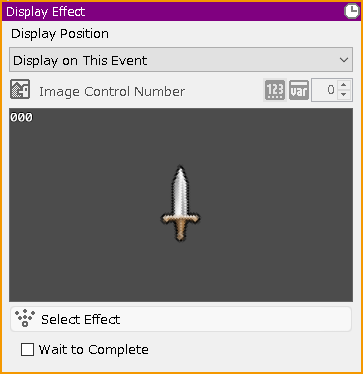
Play the effect at the specified display position.
About display position
- Display on This Event
Play the selected effect at the coordinates set for this event.
- Display on Player
Play the selected effect at the coordinates set for the player.
- Display in Center of Screen
Play the selected effect in the center of the game screen.
- Image
Play the effect on the specified image.
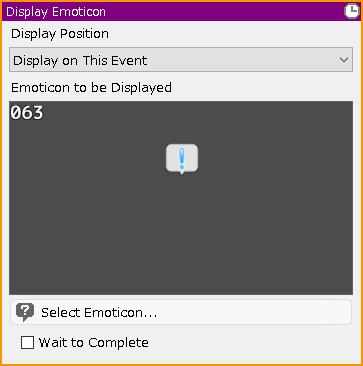
Display Emoticon†
Play the emoticon on the event or player.
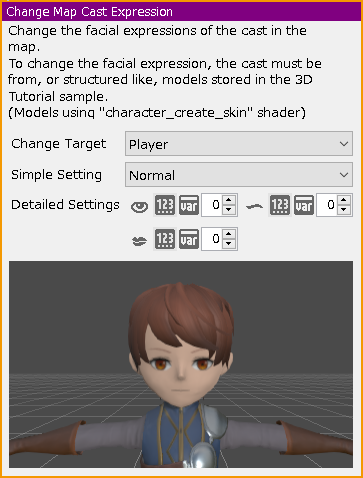
Change Map Cast Expression†
Change the facial expressions of the cast in the map. To use this function, the 3D model used must have been created to a defined specification.
![[PukiWiki]](./skin/BAKIN_logo_92.png "[PukiWiki]")