RPG Developer Bakin

How to Buy

This section provides an overview of the steps to purchase Bakin and important information to check beforehand.

1. Check Your Operating Environment

First, check to see if your computer meets the system requirements/operating environment.

Minimum Operating Environment
  • OS: Microsoft® Windows10 (64bit)
  • CPU: Intel Core I3-4340 or Better
  • Memory: 8 GB RAM
  • Graphics: Graphic Board that works with OpenGL 4.4 or Higher
  • Storage: 12 GB available space
Recommended operating environment
  • OS: Microsoft® Windows10 (64bit)
  • CPU: Core i5-8400/Ryzen 5 1500X or better
  • Memory: 16GB
  • Graphics: NVIDIA® GeForce™ GTX1650/AMD Radeon™ RX570/Intel Arc A580
  • Storage: 12 GB available space
[Additional Notes]
  • A 64-bit processor and operating system are required.
  • Bakin is also compatible with Windows 11.
  • Performance is not guaranteed under a virtual or emulated environment In some cases
  • This tool will not launch unless the sound utility “Nahimic” is stopped.
2. Try to See If Sample Games Work

Please check the sample games to see if the games created with “Bakin” run on your PC environment.
It is also a good reference for what kind of games can be created.

REINES DU SABBAT Queen of Sacrifice.

“REINES DU SABBAT Queen of Sacrifice.” is a 3D & 2D adventure game created by game developer MAKOTO KEDOUIN as his debut work. It is a self-reconstructed version—built using Bakin—of the prologue section from “REINES DU SABBAT,” a title he originally created years ago with the game development tools available at the time.
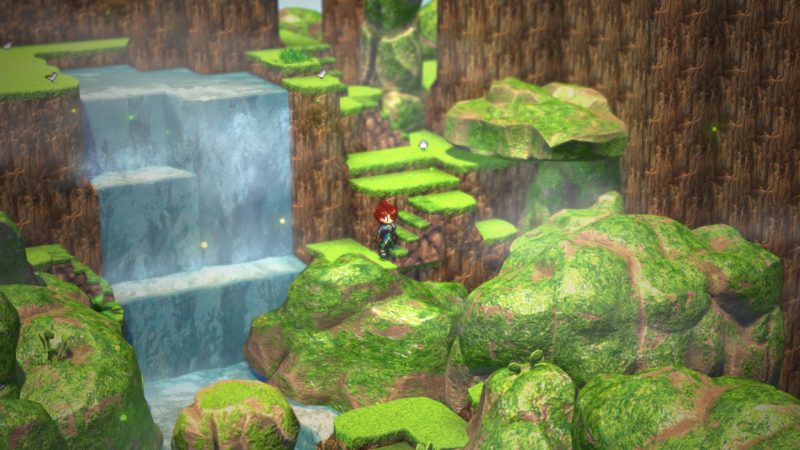
Orb Stories

It is a classic RPG with 2D characters and 3D maps.
This sample game allows you to experience the basic features of Bakin, including maps, events, battles, characters, effects, and other essential elements for creating RPGs.
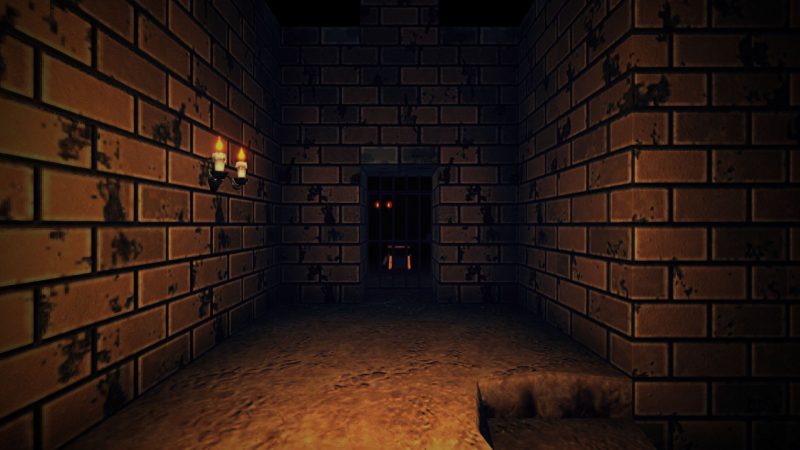
Dungeon RPG Sample

This is a 3D dungeon RPG that incorporates features from Ver. 1.3.
You can experience a variety of new features, such as grid-based movement control using events, a system for creating enhanced items like “Knife +1,” a mini map display with auto-mapping function, and 2D-style battle scenes using an orthogonal projection camera.
[Additional Notes]
  • These sample games are intended to check the performance of the games on your PC environment, and all content is under development. We do not guarantee the operation of the games.
  • Before playing, please make sure that your system meets the required specifications. Also, ensure that your PC’s graphics card drivers are up to date.
3. Try out the trial version to see how it works and get a feel for the tool.

A free trial version, "RPG Developer Bakin Demo", is available on the [Steam "RPG Developer Bakin" page]. Use it to check if the software runs properly on your PC.
With the trial version, you can check if Bakin runs smoothly on your PC. Some features are limited, but you'll get a feel for how the tool works. Game data created in the trial version can be carried over to the full version.

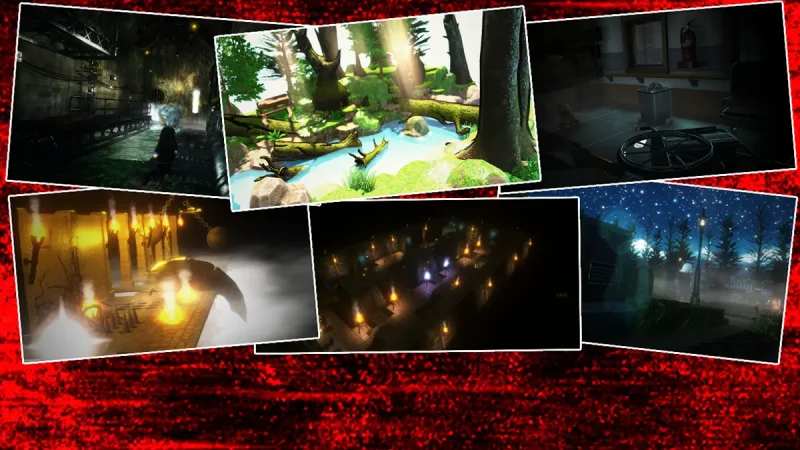
RPG Developer Bakin Demo

The trial version is designed to give users a hands-on experience with the tool, allowing you to try out its core features with ease.
[Additional Notes]
  • For the main differences between the trial version and the full version, please check this page.
  • Before playing, please make sure that your system meets the required specifications. Also, ensure that your PC’s graphics card drivers are up to date.
4. Purchase on Steam

After confirming that your PC meets the system requirements and that the sample games and trial version run properly, purchase “RPG Developer Bakin” on Steam.

A great-value bundle perfect for those just getting started with Bakin!

SMILE Characters DX Bundle

A great-value complete bundle featuring Vol. 1 through Vol. 3 of the “SMILE Characters DX” series in one package.
Heroic Fantasy Pixel Character Collection Vol.2

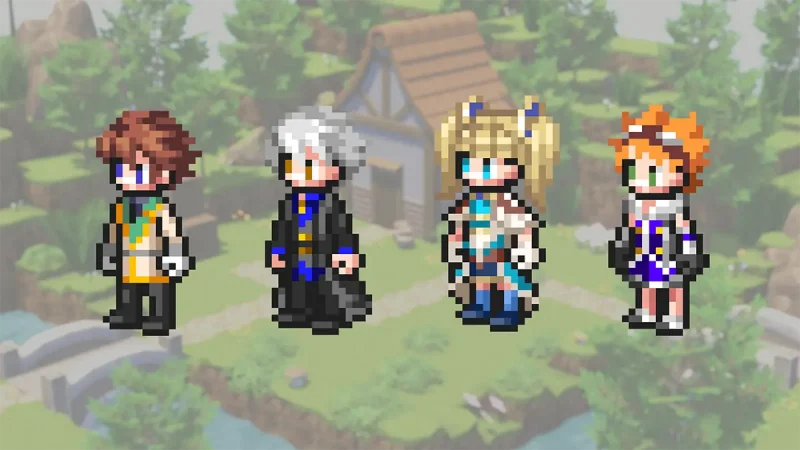
This is a 2D pixel character asset pack featuring the beloved hero from SMILE GAME BUILDER, faithfully remade to match the design style and specifications of Bakin's standard 2D pixel character assets. This collection includes the following four products: "RPG Developer Bakin SGB Heroic Pixel Chr003", "Chr004", "Chr013", and "Chr014".

Heroic Fantasy Pixel Character Collection Vol.1

This is a 2D pixel character asset pack featuring the beloved hero from SMILE GAME BUILDER, faithfully remade to match the design style and specifications of Bakin's standard 2D pixel character assets. This collection includes the following four products: "RPG Developer Bakin SGB Heroic Pixel Chr001", "Chr002", "Chr011", and "Chr012".

SMILE Characters DX Bundle

A great-value complete bundle featuring Vol. 1 through Vol. 3 of the “SMILE Characters DX” series in one package.

Heroic Fantasy Pixel Character Collection Vol.2

This is a 2D pixel character asset pack featuring the beloved hero from SMILE GAME BUILDER, faithfully remade to match the design style and specifications of Bakin's standard 2D pixel character assets. This collection includes the following four products: "RPG Developer Bakin SGB Heroic Pixel Chr003", "Chr004", "Chr013", and "Chr014".

Generative AI Usage Guidelines for SmileBoom Products

These guidelines supplement the provisions regarding the use of generative AI set forth in Articles 5 (Prohibited Acts) and 6 (Use of Materials) of the EULA for the Company’s products.

Getting Started

SmileBoom Co. Ltd. (hereinafter referred to as “the Company”) does not uniformly prohibit the use of generative AI in game development that uses RPG Developer Bakin, SMILE GAME BUILDER, and other products.

However, when using generative AI, it is important that you take responsibility to verify what you input into generative AI, how the input data is stored and used on the generative AI service, and how you will use the generated content.

This guide describes the situations in which generative AI can be used when creating games with the Company’s products, along with the rules you must follow, using specific examples.

1. Check First! Basic Rules for the Use of Generative AI
ActRulingMain conditions
Entering text, add-ons, and assets you’ve created yourself into the AI〇
OK
Be aware of third-party rights and the terms of service for the AI service(s) you use.
Using AI to create original add-ons and assets〇
OK
You may use this material if you do not infringe on the rights of third parties or violate any license terms.
Processing and modifying the materials and add-ons of our products using AI△
OK
with conditions
It is necessary to ensure that the settings and environment prevent input data from being used for AI training
Using the company’s products, materials, and add-ons for AI training✕
NG
The Company prohibits the use of LoRA, embedding, fine-tuning, and similar techniques.
Analyzing confidential information, such as the software and internal structure of our products, using AI✕
NG
Input into AI, analysis, and reproduction are prohibited.
Creating content with AI that is essentially a replica or imitation of the Company’s products or add-ons✕
NG
The creation of counterfeit goods or substantial replicas is prohibited.

*If separate EULAs or terms of use are specified for DLC or other content, those terms shall take precedence.

TermDefinition
The Company’s productsRefers to RPG Developer Bakin, SMILE GAME BUILDER, and other products.
Assets3D models, images, audio, videos, sample data, and resource packages (.exrbr files), etc., included in or provided with our products.
Add-onsContent, such as plugins, scripts, and shaders, that extends and complements the features and development environment of the Company’s products.
DLCAdditional materials or features provided for the Company’s products.

Generative AI can be used in the following examples.

3-1 Brainstorming and writing

You can use it to brainstorm ideas for the game’s world, characters, and systems, or to improve writing you’ve created yourself.

Usage examples

  • “Think of three ideas for quick quests set in a village at the foot of a volcano.”
  • “Rewrite this NPC’s dialogue to sound like something a knight of few words would say.”
  • “When designing healing spells that are learned in three levels—Beginner, Intermediate, and Advanced—think about the balance between MP cost, healing amount, and the level required to learn them.”
  •  

You may use generative AI to modify official add-ons for the Company’s products, such as shaders, command scripts, and C# plugins. However, you may not distribute, sell, or publish those modified works to third parties on their own.

Usage examples

  • “I want to create a process that allows a treasure chest to be opened only once. Describe the steps for setting up the event in order.”
  • “I want to create a shader that renders the ripples and light reflections on the water’s surface. Describe the basic framework and how to implement it.”
  • “I want to create a plugin that changes the color of the sky and lighting based on the in-game time. Outline the necessary procedure.”

You can use assets created with generative AI based on your own instructions or original materials in your game.

Usage examples

  • Creating image assets such as characters, backgrounds, UI elements, and icons
  • Creating audio assets such as music, sound effects, and voice recordings
  • Creating various types of data, such as 3D models, textures, and in-game text
  • You may use generative AI to process or modify the assets and add-ons in our products, provided that the settings and environment ensure the data you enter is not used to train generative AI.
  • Before using the service, review the settings and terms of service for the generative AI service and verify that the data you enter will not be used for AI training.
  • Do not enter assets from the Company’s products or add-ons into services that do not allow you to disable training.
  • The Company’s assets and official add-ons that have been processed or modified using generative AI may be used in game development for the Company’s products.
  • If separate EULAs or terms of use are specified for DLC or other content, those terms shall take precedence.

 Usage examples

    • Changing the colors and expressions of character images.
    • Applying textures to 3D models.
    • Modifying the standard shader to suit your game.

The Company’s products, as well as related DLCs, add-ons, and other content, are valuable content that many creators have spent a great deal of time producing. The below actions are prohibited.

4-1. Use in AI training

The units of the Company’s products, assets, DLC, add-ons, and other content may not be used for AI training.
Prohibited use includes the following.

  • Additional training
  • Fine tuning
  • LoRA
  • Embedding
  • Creating a training dataset

This applies even in cases of personal use, non-commercial use, or use in a local environment.

You may not input the Company’s products, internal structures, or other confidential information into generative AI for analysis.

You may not input the Company’s products, assets, DLC, add-ons, or similar items into a generative AI or use them for the purpose of substantially replicating or imitating their design, expressive features, code, structure, or implementation details. Furthermore, you are prohibited from publishing, distributing, or selling content generated in this way.

You may publish or sell shaders, command scripts, C# plugins, images, 3D models, and other content created independently using AI, provided they are not modifications of our official add-ons or assets and meet the following conditions:

  • You must not substantially replicate or imitate the Company’s standard shaders, official plugins, or assets.
  • You do not infringe on the copyrights or other rights of third parties.
  • You do not violate the terms of any generative AI services or other licenses used.

When publishing or selling programs, plugins, or similar content, we recommend that you thoroughly test their functionality yourself.

Q. Can I develop shaders while consulting generative AI?

Yes, you can consult with generative AI about the framework and implementation methods based on code or specifications you have created yourself. Verify the behavior of the generated code by yourself.

Yes, you can use generative AI to create new command scripts, C# plugins, and other content. Verify the behavior of the generated code by yourself.

As long as the settings and environment ensure that the input data is not used for the AI’s training, you may use it for modification. Verify the behavior of the generated code by yourself.

No, you may not create a plugin that substantially replicates or imitates the code, structure, or implementation of the Company’s product’s official plugins by inputting them into an AI.

No, you may not input the Company’s product’s program files, internal structure, or other non-public information into a generative AI for the purpose of analysis, imitation, or reproduction.

No, you may not use any of the Company’s products’ for additional training, fine-tuning, LoRA, embedding, or the creation of training datasets. This applies even for personal use or use in a local environment.

You may modify or alter them only if the settings and environment ensure that the input data is not used for AI training.

Check the settings and terms of use for the generative AI service before use. If separate EULAs or terms of use are specified for DLC or other content, those terms take precedence.

No, you may not use the Company’s products’ assets or DLC designs, or their stylistic features, as input for generative AI or for AI training with the intent to reproduce or imitate them. Furthermore, you may not publish, distribute, or sell content generated in this manner.

Conclusion

These guidelines are intended to clearly explain the principles for the safe and appropriate use of generative AI when creating games using the Company’s products. You must decide for yourself whether to use generative AI and do so at your own risk.

In the event of any conflict between these guidelines and the terms of service or the EULA for each product, the terms of service and the EULA shall take precedence.

Support

A comprehensive overview of various support resources, including FAQs, purchase/start guides, manuals, social media and community links, and contact options for questions or bug reports.

When Problems Occur

If you encounter any issues while using Bakin, please try the solutions provided here.

User’s Gallery

Introducing communities and content created by users active with Bakin.