
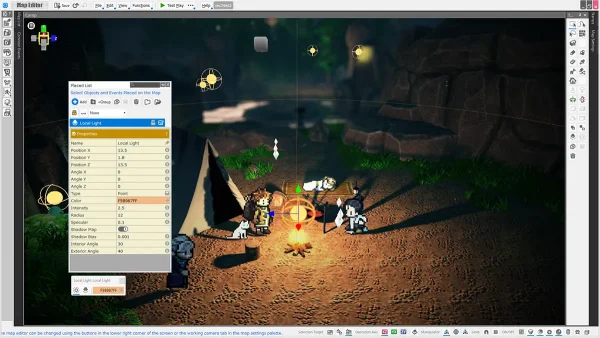
- Shadow Maps
A new “Shadow Map” feature has been implemented, allowing shadows to be automatically generated based on lights placed within a map with a simple toggle. This makes it easy to incorporate immersive lighting effects—such as shadows cast by campfires or flashlights—into your game.
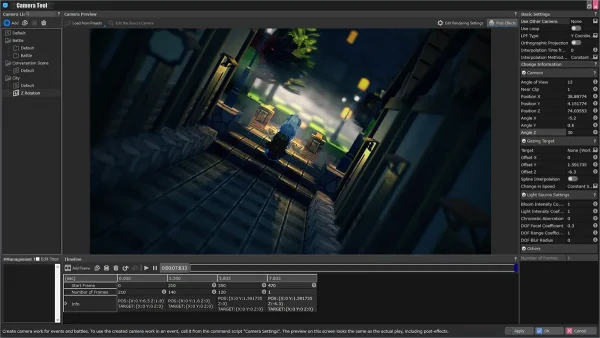
- Camera Z Rotation
The camera Z-axis rotation (roll) feature has been added. By intentionally tilting the screen, developers can create unsettling horror scenes or impactful cutscenes, enabling more impactful and memorable visual presentation.

- LOD(Level of Detail)
A feature has been introduced to switch between LOD models embedded within models, based on their displayed height relative to the screen. By simplifying models that are farther from the camera, this helps reduce processing load and improve performance.
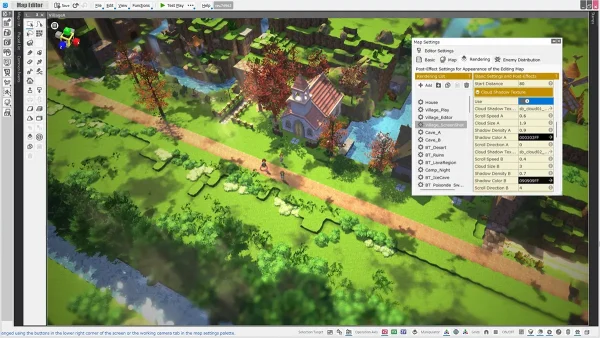
- Cloud Shadows
You can now project cloud shadows onto the ground by assigning a cloud texture. Since the texture is applied directly, this feature can also be used for patterns beyond clouds, expanding your creative possibilities for scene design.
- Parallax Occlusion Mapping
We now support parallax occlusion mapping, which uses grayscale images (height maps) to simulate detailed surface depth and irregularities. It allows you to represent fine surface details—such as the unevenness of a brick wall—without modeling them into the mesh. By applying it to decals, you can also achieve a more three-dimensional, realistic look.
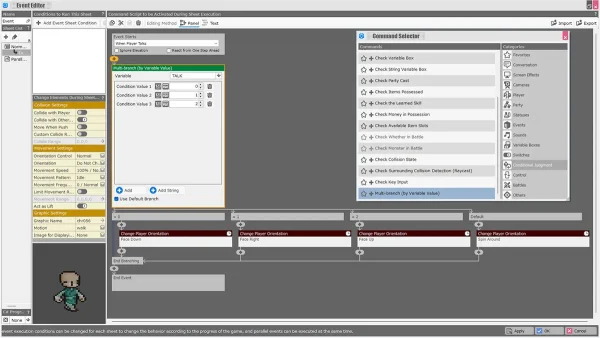
- “Multi-branch (by Variable Value)” Panel
A new panel allows multiple branching paths based on variable values. Similar to a switch statement, it supports branching not only by numerical values but also by strings. This simplifies conditional branching that previously required combining multiple event panels.
- Find Usages for Common Events
You can now search for where common events are used across other events. When common events are used for standard processes, this makes it easier to identify which events are calling them.
- Number of Steps
“Number of Steps” has been added as a condition for state removal and automatic damage triggers. For example, you can now create effects like poison that deal damage after the player walks a certain number of steps on the map.