![[PukiWiki]](./skin/BAKIN_logo_92.png "[PukiWiki]")
Specify the data to be executed from the camera work set up in the Camera Tool.
For more information on how to create camera work, see Camera Tool.
#ref(): File not found: "Camera_Settings.png" at page "Cameras"
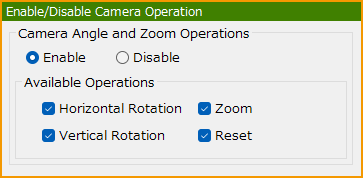
Permit or prohibit the player to operate the camera.
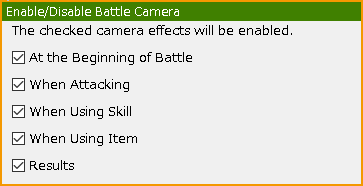
Specify permission or prohibition of camera during battles. You can specify from the following camera performances.
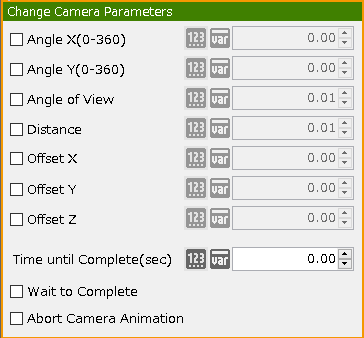
You can switch the camera set to be used during battles.
Battle camera sets can be created with the Camera Tool.

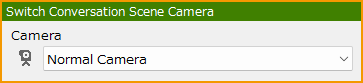
When using the "Display Conversation" panel to execute a cast conversation event, you can assign and change the camera that will show the cast graphics to be displayed.
Camera sets for conversation scenes can be created with the Camera Tool.
 Camera_Playback.png 15 download
[Information]
Camera_Playback.png 15 download
[Information]
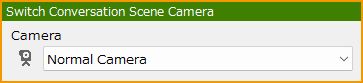 Switch_Conversation_Scene_Camera.png 104 download
[Information]
Switch_Conversation_Scene_Camera.png 104 download
[Information]
 Switch_Battle_Camera_Sets.png 126 download
[Information]
Switch_Battle_Camera_Sets.png 126 download
[Information]
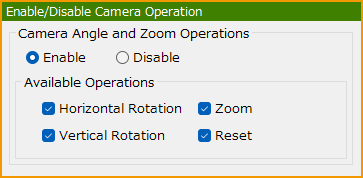 Enable_Disable_Camera_Operation.png 170 download
[Information]
Enable_Disable_Camera_Operation.png 170 download
[Information]
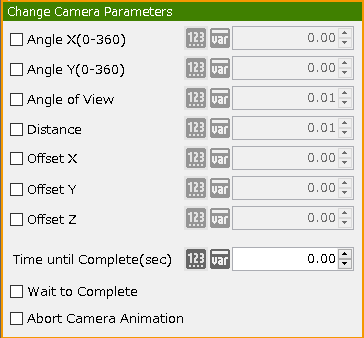 ChangeCameraParameters.png 214 download
[Information]
ChangeCameraParameters.png 214 download
[Information]
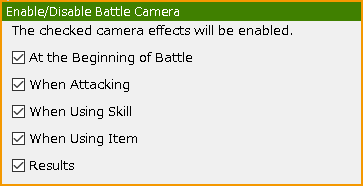 EnableDisable_Battle_Camera.png 283 download
[Information]
EnableDisable_Battle_Camera.png 283 download
[Information]


