Others†
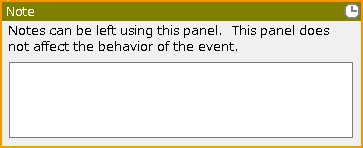
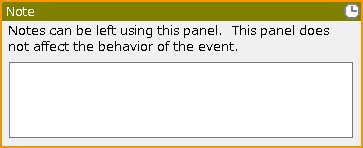
Note†
Comments can be added. They will not be reflected during the game.
Label Definition†
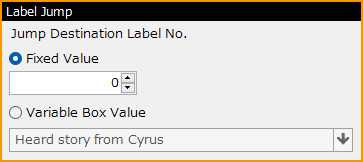
The "Label Jump" panel allows you to specify a "label" in the event to jump to.
The "label" can be set in the range of 0 to 99.
Label Jump†
It is possible to jump to a "label" specified within the same event sheet.
The label to jump to is specified in the "Label Definition" panel.
- This command has the same behavior as the "GOTO" command in the "BASIC" programming language.
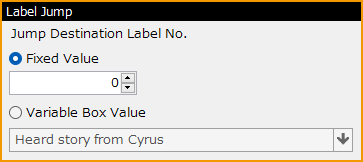
- Jump Destination Label No.
Assign a label to jump to.
If the corresponding label is not found on the same sheet, this panel is ignored.
- Fixed Value
Assign a label number as a direct value from 0 to 99.
- Variable Box Value
Assign the label number by the variable value.
If the variable value contains a negative value or a value greater than 100, this panel is ignored.
If the variable value contains a decimal value, this panel is executed if the value is an integer between 0 and 99, after rounding down.
[Attention]
- The Label Jump is a powerful command, but its overuse tends to cause confusion. Please be careful when using it.
- It is strongly recommended to avoid placing multiple identical labels. (It works, but it is confusing.)
- Although it is possible to create a loop process using label jumps, it is necessary to build a process that can skip label jump commands under some conditions in order to exit from the loop.
Note that the "Escape from Loop" panel cannot be used to escape from a loop.
![[PukiWiki]](./skin/BAKIN_logo_92.png "[PukiWiki]")

 Label_Junp.png 122 download
[Information]
Label_Junp.png 122 download
[Information]
 Label_Definition.png 120 download
[Information]
Label_Definition.png 120 download
[Information]
 Debug_Command(Not included_in_the_full_version).png 177 download
[Information]
Debug_Command(Not included_in_the_full_version).png 177 download
[Information]
 Note.png 260 download
[Information]
Note.png 260 download
[Information]


